


Backhoe Loader Personal Simulator
Simlog’s Backhoe Loader Personal Simulator puts trainees behind the controls of a backhoe loader—also known as a “Loader Backhoe” or “Tractor Loader Backhoe (TLB)”—within a realistic construction site simulation.
Built on a modular instructional design, the simulator teaches real-world operating skills for safe, productive fieldwork—improving training outcomes and reducing risk.
Instructors can customize the 3D model to match a variety of OEM styles by selecting from five color schemes and configuring the lift arm with either one or two cylinders. This level of flexibility helps mirror the look and feel of actual fleet equipment.
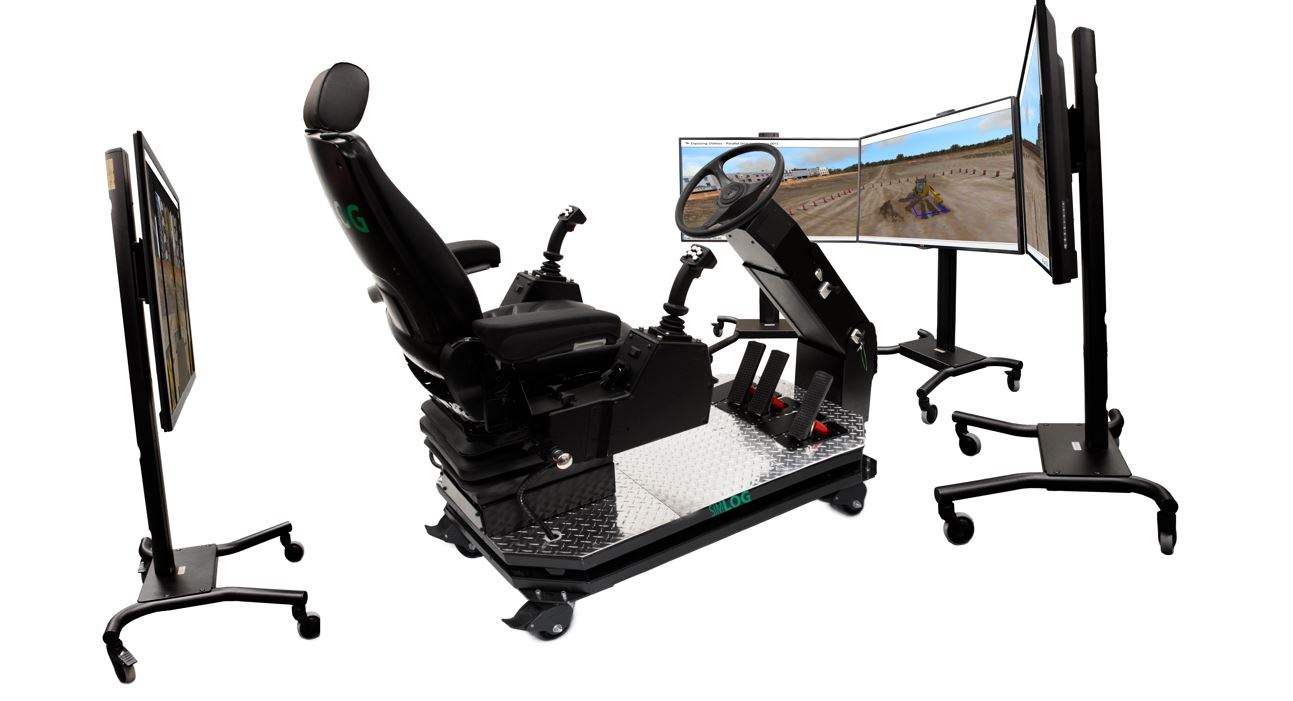
The simulator supports multiple display configurations to fit any training space—from a single-screen setup to a panoramic three-display layout. A fourth, rear-facing display can also be added to train operators on proper reverse-driving techniques—another Simlog-exclusive feature.
And, like all Simlog products, the simulator runs on a single off-the-shelf PC. Use your own hardware or opt for Simlog’s PC bundle, pre-installed with licensed software and available in English, French, Spanish, or Portuguese.
Simulator Controls
Simlog’s flexible hardware options for the Backhoe Loader Personal Simulator are designed to match your training environment, budget, and equipment preferences. Whether using tabletop-mounted Replica Controls, the immersive Operator Chair, or a multi-purpose station shared with other Simlog simulators, each configuration delivers a realistic, hands-on experience that mirrors real machine operation—ensuring effective skill development and long-term training value.
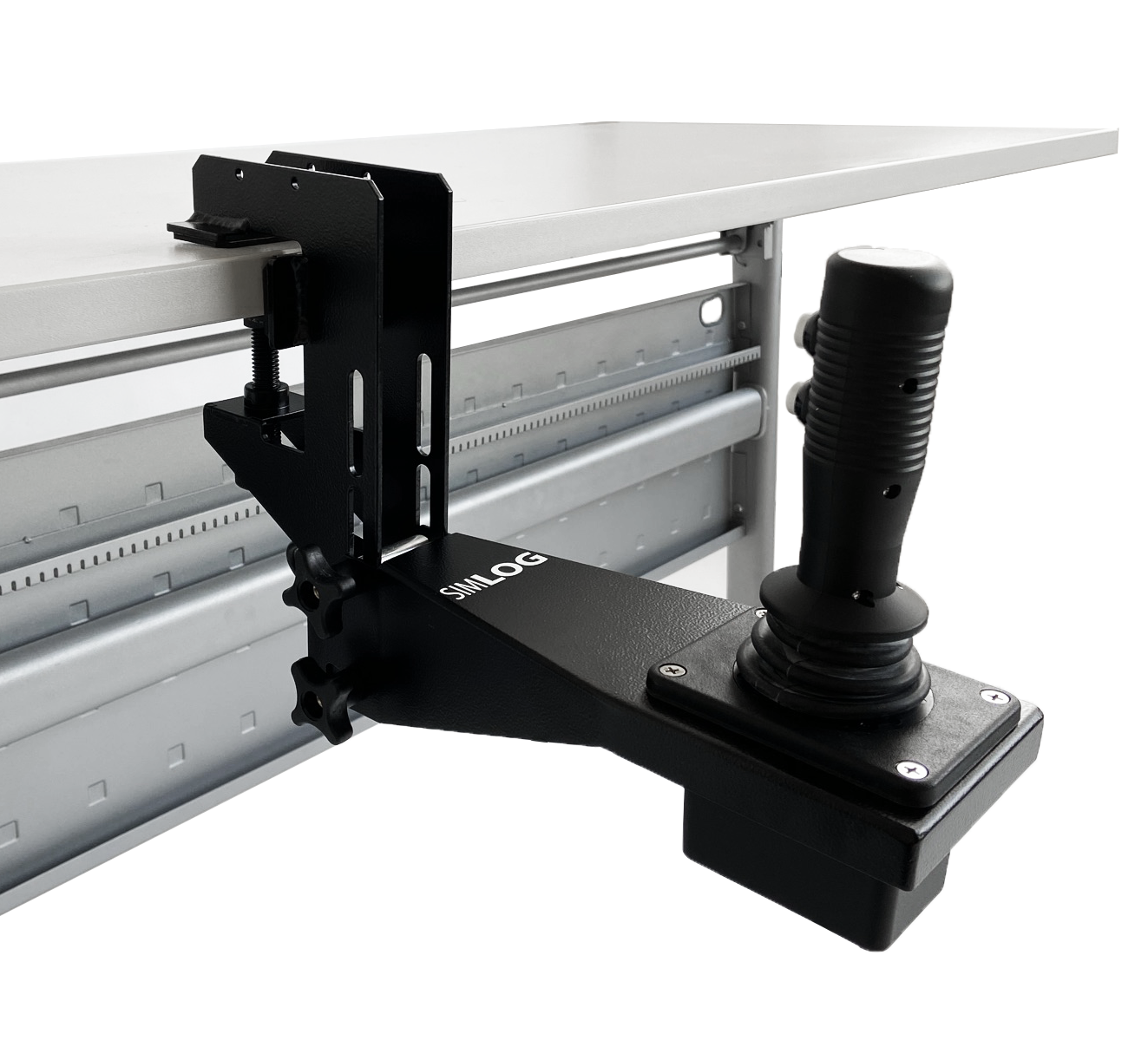
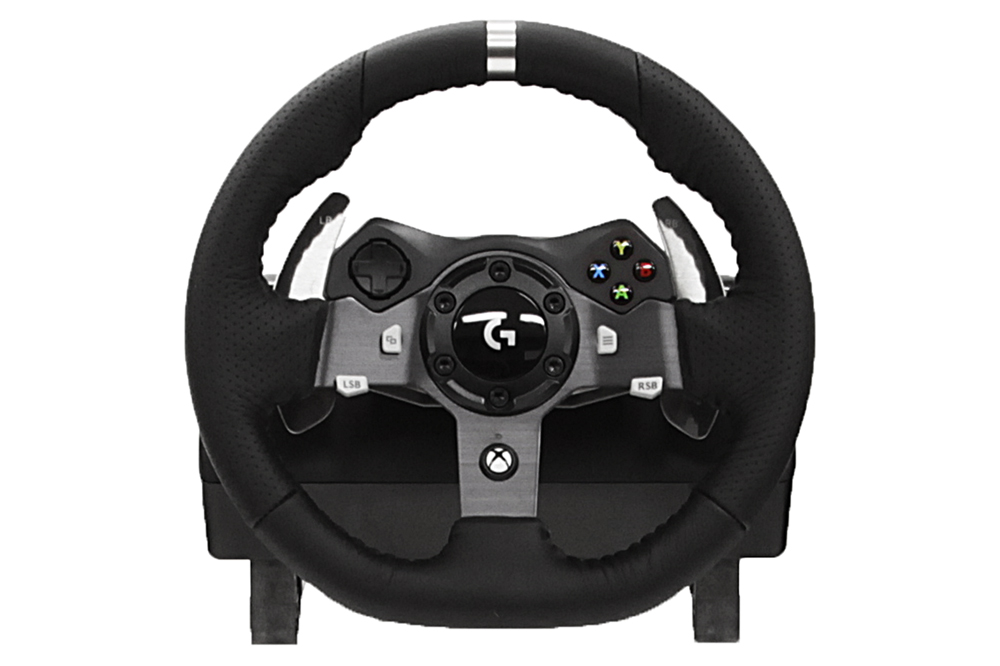
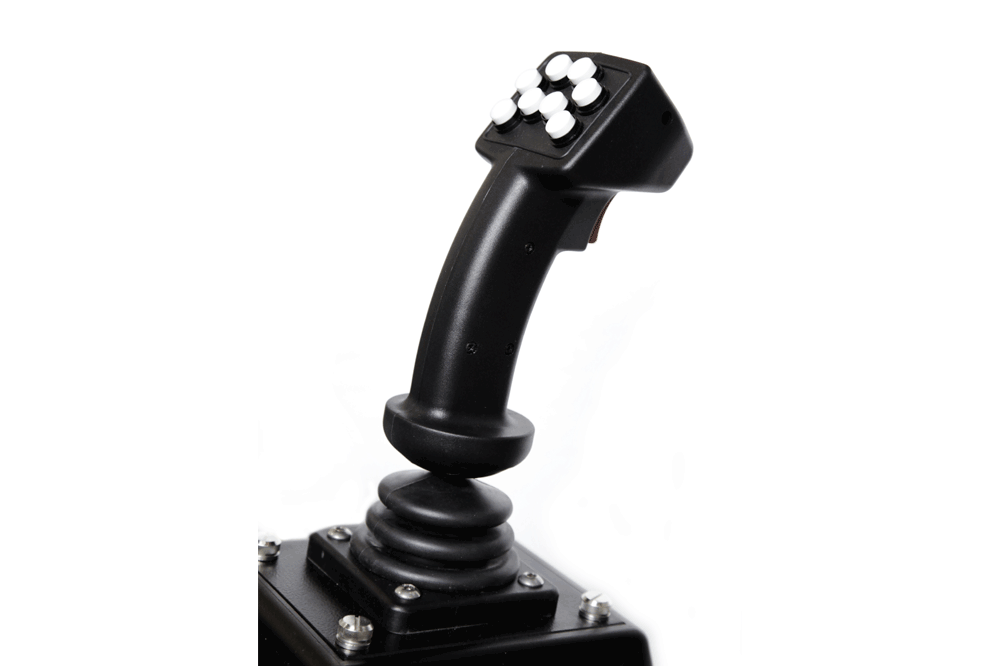
Simlog’s Replica Controls for the Backhoe Loader Simulator offer industrial-grade, USB-ready components that accurately reflect the operation of real-world backhoe loaders. Designed for durability and realism, these controls support both tabletop mounting and integration with Simlog’s Operator Chair—delivering a cost-effective solution for hands-on training across a wide range of environments.
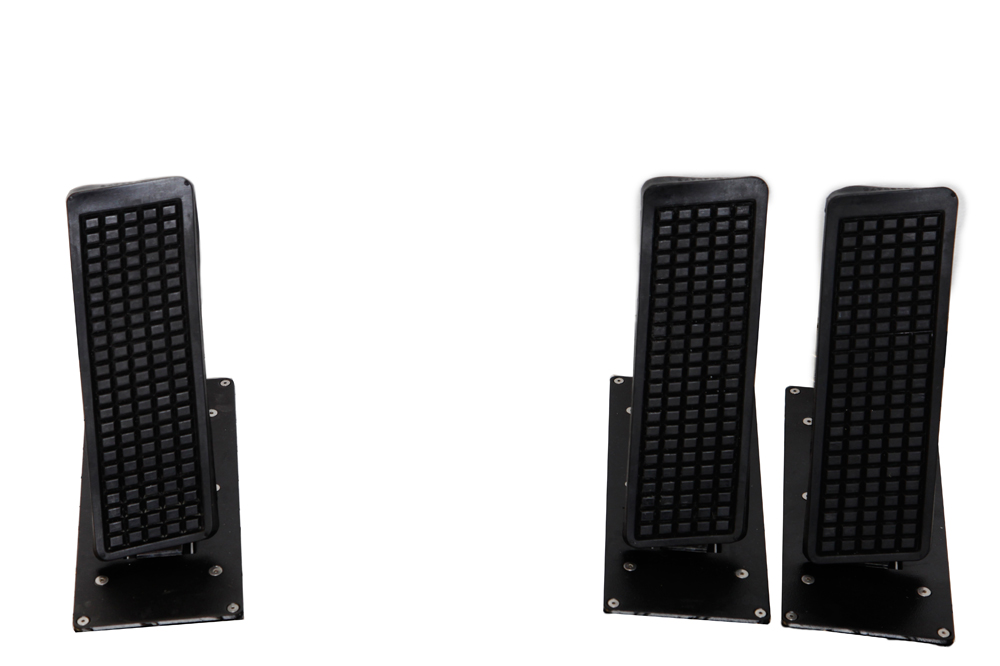
The setup includes two industrial joysticks with integrated electronics and multiple push-buttons for viewpoint control, along with optional tabletop mounting brackets for ergonomic positioning. To complete the system, users can add a USB-compatible steering wheel, 3-pedal unit, and Transmission Replica Control Lever.
Existing Simlog customers may also be able to re-use Replica Controls from other simulators, offering additional value and flexibility for multi-simulator training environments.
Possible Setups:
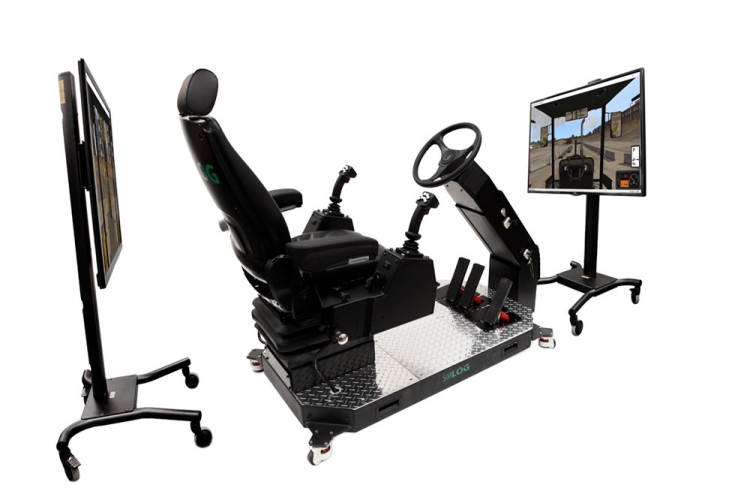
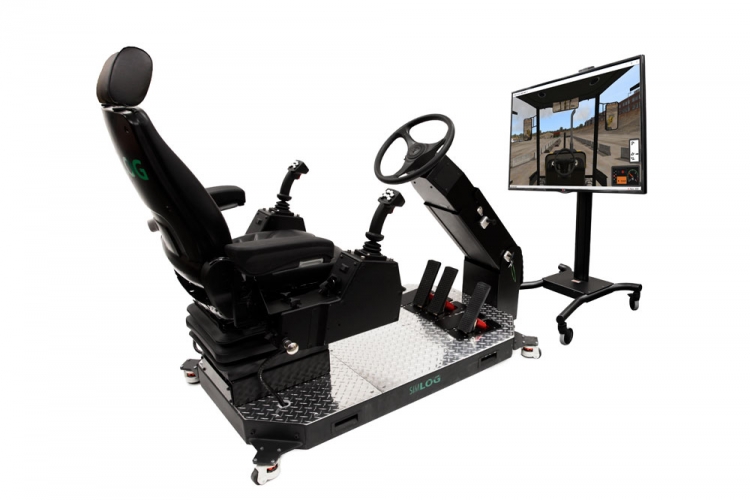
There are four possible display configurations: a single front-facing wall-mounted display; a dual-display setup with one screen in front and one behind; a three-display layout with side-by-side front monitors; and a full four-display setup with three front monitors and a rear display for backing simulation.
Custom Travel Cases for Replica Controls
These durable cases include foam compartments for all controls, a laptop, cables, and accessories, with wheels and a telescoping handle for easy transport.
Key Features
- Protective interior with form-fit cutouts
- Storage for laptop and essential accessories
- Rolling casters and pull-out handle
- Stackable for streamlined storage
Specifications
- Dimensions: 30" L x 24" W x 19" H
- Weight: 50–100 lbs. depending on contents
Simlog’s Operator Chair delivers a highly realistic training environment for Backhoe Loader simulation, featuring an authentic operator seat with left and right-hand control consoles and an adjustable steering column. The entire assembly is mounted on a rugged industrial platform with casters for easy mobility.
The steering column is fully adjustable—telescoping and tilting to accommodate different operator preferences—and includes a durable, industrial-grade steering wheel and a three-pedal foot control system.
If you already own a Simlog Operator Chair used with another Personal Simulator, it may be reconfigured for the Backhoe Loader by adding compatible components—offering a flexible, cost-effective upgrade path.
Key Features
- Authentic industrial operator seat, with air suspension, and seat-belt
- Adjustable seat position (forward/backwards, three vertical positions)
- Adjustable armrests (in height and angle)
- Integrated left and right consoles for joystick controls
- Full steering column with pivot and telescope capabilities
- Fully functional industrial style pedals
- Steel platform with heavy-duty casters for easy portability
Possible Setups:
There are four available display configurations: a single front-facing display; a dual-display setup with front and rear screens; a three-screen layout with side-by-side front displays; and a full four-display setup with three in front and one in the rear.
Specifications
- Overall Dimensions: L 60” x W 30” x H 47”
- Weight: 385 lbs.
- Shipping Dimensions: 67″ x 43″ x 44″
- Shipping Weight: approximately 550 lbs. One unit per skid, not stackable.
- 120 VAC/60 Hz, 220-240VAC/50 Hz
Vibration System
Vibration adds a critical layer of realism to Simlog’s Personal Simulators by providing tactile feedback in sync with on-screen actions and audio cues. This creates a more immersive training experience—at a fraction of the cost of motion platforms.
As trainees perform tasks like digging, driving, or colliding with virtual obstacles, vibrations are triggered by the simulation software’s audio output. This multisensory feedback helps reinforce proper technique and keeps users engaged, leading to more focused, effective learning.
For Operator Chair setups, Simlog offers an optional vibration system featuring the ButtKicker Simulation Kit. This low-frequency transducer mounts beneath the seat and delivers customizable feedback intensity via an integrated amplifier and control unit—enhancing the overall training experience.
Many heavy equipment training programs cover multiple machines—such as Backhoe Loaders, Bulldozers, Hydraulic Excavators, Skid Steer Loaders, and Wheel Loaders. To meet these diverse needs efficiently, Simlog customers often create multi-purpose simulation options.
These flexible setups allow multiple Personal Simulators to share the same PC, display monitors, audio system, and Replica Controls—maximizing value without sacrificing realism. This approach delivers unmatched cost-efficiency and provides one of the lowest cost-per-station solutions available in the industry.
Software Description
Simlog’s Skid Steer Loader simulation software features many software options to configure what you see and do, to reproduce the operator controls of the most common kinds of (real) skid steer loaders.
The following Simulation Modules replicate real-world scenarios to develop essential backhoe loader operating skills:
- Controls Familiarization – Learn the functions and layout of machine controls
- Bucket Positioning – Practice driving forward and backward with precise positioning of both loader and backhoe buckets
- Stockpiling – Use the loader bucket to transfer material from a digging zone to a dumping zone
- Truck Loading – Loader – Load rocks into a truck using the front loader bucket
- Following Grade – Use the backhoe to trace and maintain consistent grading
- Truck Loading – Backhoe – Load rocks into a truck using the rear backhoe
- Trenching – Perform basic trench digging with attention to depth and alignment
- Exposing Underground Utilities – Parallel – Uncover buried piping aligned with the machine’s orientation
- Exposing Underground Utilities – Perpendicular – Practice uncovering pipes positioned perpendicularly to the Backhoe Loader
Key “Performance Indicators” measure how quickly and how carefully the simulated work is performed.
Simlog’s Backhoe Loader Simulator includes 62 unique Performance Indicators that provide detailed, diagnostic feedback—far beyond simple pass/fail scoring. They include execution time, bucket orientation errors, hydraulic slams and collisions.
The simulator also detects Procedure Errors, such as operating out of bounds or using incorrect sequences. Critical safety scenarios, like potential rollovers, are flagged as Fatal Errors—immediately ending the session to emphasize real-world consequences.